
Different Rules for Every Genre —
Smartphone Photography by Genre
Food, portraits, landscapes, night, and everyday snaps all require completely different approaches — even on the same smartphone. Master the key settings and compositions for each genre.
Q. Food Photography Myth
"Is food photography always top-down (overhead)?"
Top-down works well for flat lays and plating, but a side view (45-degree angle) expresses the layers of burgers and cakes, and steam, far better. For the same food, shoot both angles and choose — that's the best approach.
Q. The Truth About Night Photography
"Can't shoot night scenes without a tripod?"
With Night Mode, you can capture basic night scenes without a tripod. However, car light trails, star trails, and silky waterfall effects absolutely require a tripod. It depends on your goal.
Food Photography
A genre where smartphones beat cameras
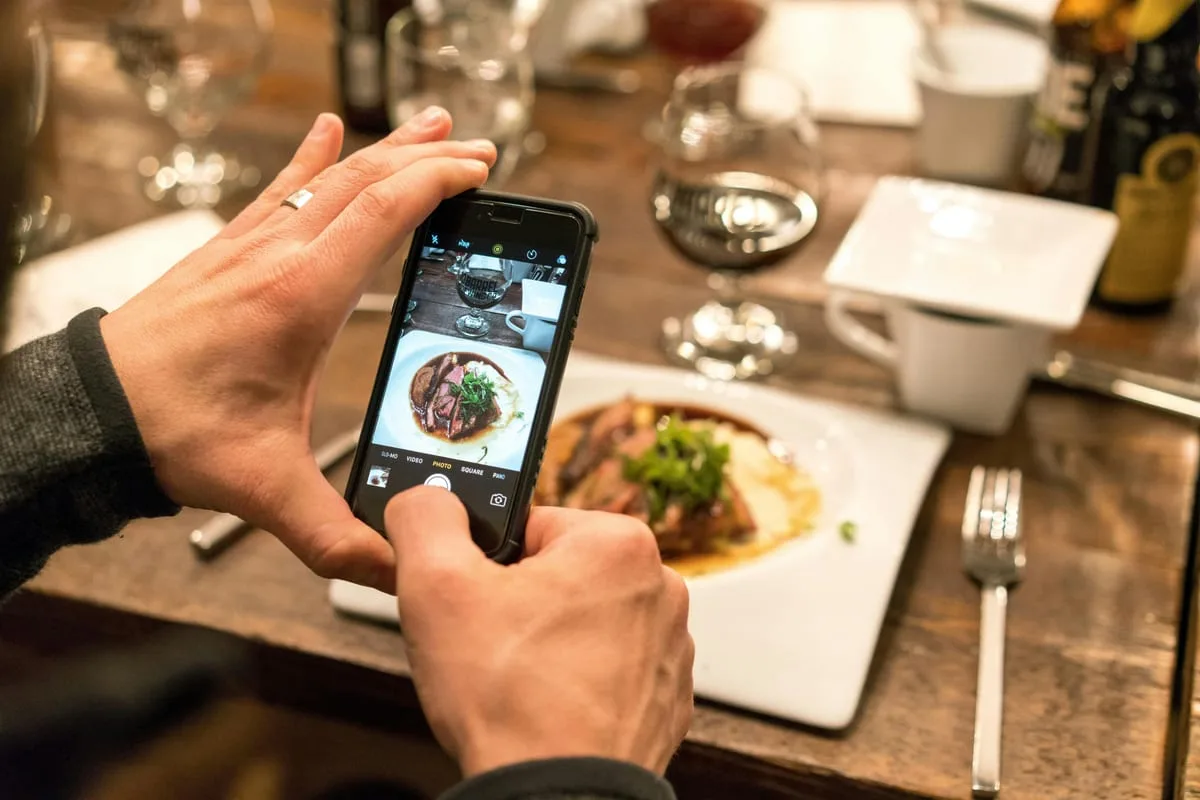
Window Natural Light
Soft window light is far superior to fluorescent lighting. Direct sunlight is harsh — diffuse it with a thin curtain for even light.
Simplify the Background
Remove unnecessary items from the table. The simpler the background, the more attention goes to the food.
Tap Focus + Exposure Adjustment
Tap the most interesting part of the food → raise exposure slightly (+0.5 to +1) for a bright, appetizing look.
Use Portrait Mode
Focus on the main food and blur the background (other dishes, table pattern). Portrait Mode works well here.
→ More food photography: Food & Product Techniques
Portraits & Selfies
Light direction matters more than the camera
Face the window — don't stand with your back to it
Standing with your back to the window creates backlight that darkens the face. Turn toward the window for front or side natural light.
Rear camera + 2-second timer instead of selfie camera
The front camera has lower megapixels and weaker Portrait AI. Rear camera + 2-second timer delivers far sharper, better results.
Portrait Mode + 1–1.5m camera distance
Too close and the background separation AI fails. Maintain 1–1.5m for natural-looking background blur.
→ Portrait deep dive: Portrait & People Genre Guide
Landscape
Ultra-wide lens and the golden hour
Use the ultra-wide lens actively
The 0.5x ultra-wide on smartphones is powerful for capturing wide spaces. Watch for edge distortion — keep people in the center.
1 hour before/after sunrise or sunset
Golden hour light is warm and casts long shadows. Even a smartphone delivers dramatic results.
Lock the horizon with the grid
When shooting the sea or horizon, align the horizon with a grid line. A tilted horizon loses quality even in post.
Use foreground elements
Instead of just shooting into the distance, include rocks, flowers, or puddles as foreground for depth.
→ Landscape deep dive: Landscape Genre Guide
Night Photography
Without a tripod, and even better with one
Night shots without a tripod
- 1.Turn on Night Mode (may activate automatically)
- 2.Rest or prop your phone against a wall, railing, or table
- 3.Use the volume button or earphone button to shoot (prevents hand shake)
- 4.Don't move during capture — hold still for the Night Mode exposure duration
What becomes possible with a tripod
- ✓Car light trails (max Night Mode exposure or Pro Mode 4–10 seconds)
- ✓Star trails (30+ seconds, very dark location required)
- ✓Silky water / waterfall effect (1–4 second exposure)
Daily Snaps
Never miss the decisive moment
Double-tap screen to launch camera instantly
On iPhone, double-tap the screen to open the camera directly. On the lock screen, long-press the camera icon. That one second can change everything.
Leave it on Auto Mode
For daily snaps, the moment matters more than the settings. Better to shoot first in Auto and edit later than to miss the shot fiddling with Pro Mode.
Shoot multiple frames and choose
Hold the shutter to burst-shoot 5–10 frames and select the best one. The easiest way to capture expressions and movement.
Compose in post
Shoot first, then crop for composition later. Modern smartphone resolution is more than good enough after a crop.
→ Street snap deep dive: Street Genre Guide
Today's Mission
Shoot 2 Shots of What You Eat and See Today
- 1Shoot the food you're eating — top-down and 45° side-view: which looks more appetizing?
- 2Shoot a portrait by a window or a selfie facing the window
- 3If you're in a night scene, compare Night Mode ON vs OFF
More Content to Explore
마지막 업데이트: 2026년 4월